Walking Pad Desk Setup for Beginners: A Practical Guide
A beginner-friendly guide to setting up a walking pad desk safely, comfortably, and in a way you’ll actually keep using.
Deelo Editorial
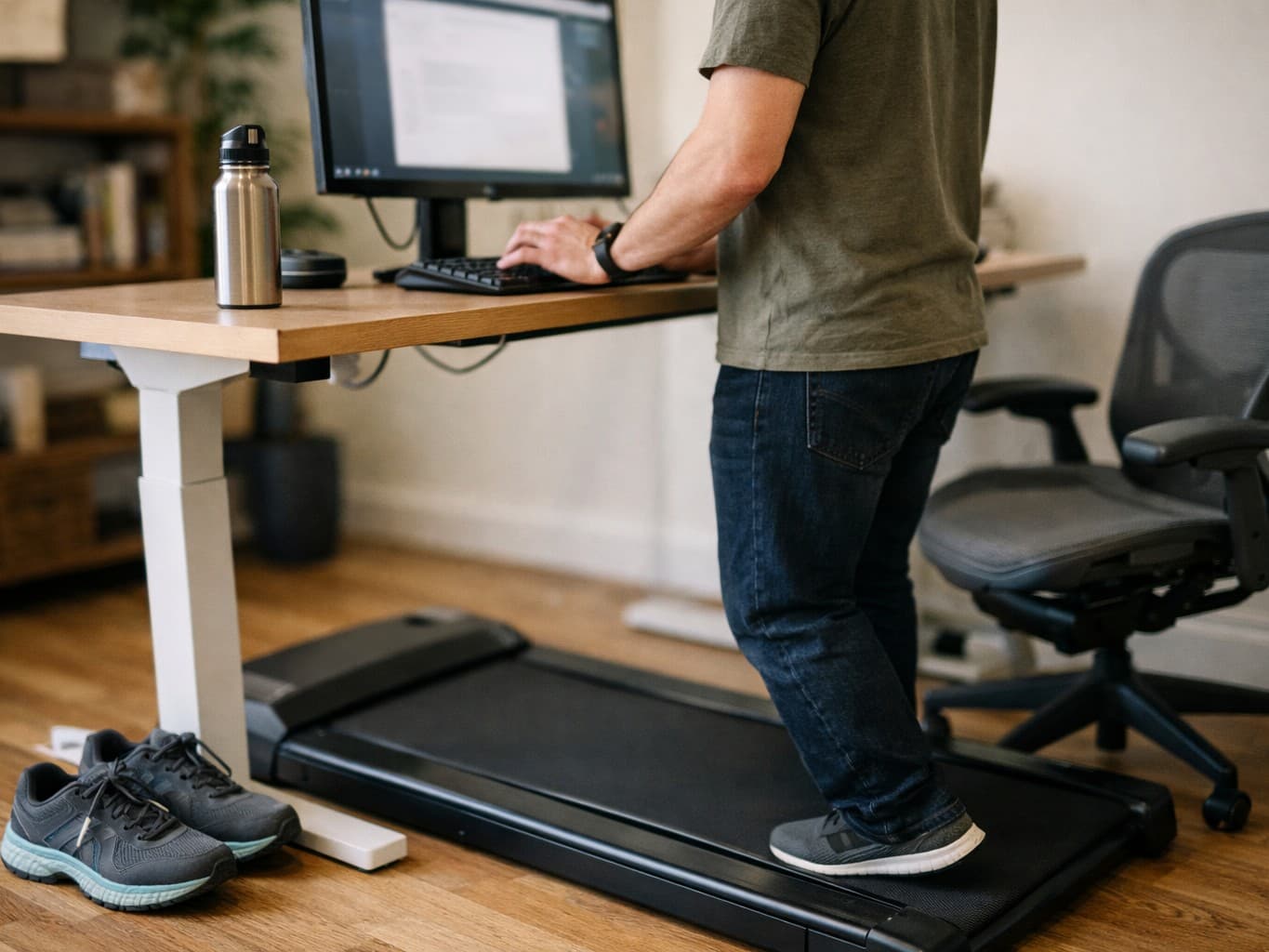
A good walking pad desk setup for beginners is simple: a stable desk at the right height, a walking speed slow enough to keep your posture and typing intact, and a plan to build up gradually instead of trying to walk for hours on day one. The goal is not to turn work into a workout; it is to add more low-intensity movement to a day that would otherwise be mostly sitting.
That distinction matters. Most beginners do better when they treat a walking pad as a tool for light movement during low-focus tasks, calls, reading, or admin work, not as something they must use nonstop. If you want the setup to stick, comfort and consistency matter more than ambition.
Start with the right expectation
A walking pad can help break up sedentary time, and for many people that means more daily movement with less friction than adding a separate workout. It is not a magic fix for back pain, weight loss, or poor fitness on its own, and it is not ideal for every task.
For beginners, the best expectation is modest: you are creating an easier way to stand and move more often while working. That can support energy, focus, and step count for some people, especially if your job keeps you at a computer all day. If your broader goal is simply to move more, it also helps to understand what step targets actually mean in the first place. Our guide to How Many Steps a Day Do You Actually Need? is a useful reality check if you have been treating 10,000 as a hard rule.
A walking pad setup also works better when it fits your overall routine rather than fighting it. If you are already trying to clean up sleep and daily rhythms, there is a strong argument for making your health habits easier and more repeatable instead of more intense. That same logic shows up in Sleep Consistency vs. Total Hours: Which Matters More?: regular patterns often matter more than people assume.
What you actually need
The beginner version is refreshingly basic. You do not need a complicated ergonomic lab.
1. A walking pad that feels stable
The most important feature is not a long list of extras. It is stability. The belt should feel smooth underfoot, the machine should not wobble, and the speed controls should be easy to use quickly.
Useful features to look for:
- A speed range that includes very slow walking
- A remote or controls you can adjust without fuss
- A deck long enough for your natural stride at slow pace
- A weight limit that comfortably fits the user
- Noise levels that will not create problems at home or in shared spaces
- A profile that fits under your desk without forcing awkward posture
Many people overbuy here. If your use case is light walking during computer work, reliability and fit matter more than premium features.
2. A desk at the correct height
This is where many setups fail. A walking pad under a desk that is too low forces you to round your shoulders, crane your neck, and press your wrists into awkward angles. Beginners often blame the pad when the real problem is desk height.
A good starting position:
- Elbows close to about a right angle
- Shoulders relaxed, not lifted
- Wrists mostly neutral
- Top of the screen around eye level or slightly below
- Head stacked over the torso rather than jutting forward
If you already work comfortably while standing, adding a walking pad is much easier. If your desk only works for sitting, solve that first. A sturdy height-adjustable desk is usually the easiest option, but some people can make a fixed desk work with risers or a monitor adjustment. The key is that your standing posture should already feel sustainable before you introduce movement.
3. Shoes or surface setup that your body tolerates
Some people like walking barefoot or in socks on a walking pad at very slow speeds, especially at home. Others feel much better in supportive walking shoes. There is no universal answer.
The safer beginner approach is to pay attention to how your feet, calves, knees, and lower back feel during and after use. If barefoot walking leaves your feet tired or your calves tight, switch to shoes. If shoes feel clunky and heavy indoors, try a lighter pair reserved for desk use.
A floor mat near the desk can also help when stepping on and off, especially on hard floors.
How to set it up so work still feels normal
The best walking pad desk setup for beginners is the one that does not make every task harder.
Use slow speeds first
This is the most common beginner mistake: walking too fast because it does not feel like “real” exercise otherwise. But the point of a desk setup is that you can still type, read, think, and work.
For most people, that means a very easy pace. Slow enough that:
- Your typing accuracy is still decent
- You are not bouncing visibly on calls
- Your breathing stays easy
- You can think through a normal task without irritation
For concentrated writing, spreadsheet work, or anything detail-heavy, many people either slow down further or stop the pad entirely. That is normal. A walking pad is not a test of discipline.
Match the task to the motion
Some tasks work well while walking:
- Audio meetings where you mostly listen
- Internal calls
- Reading low-stakes documents
- Inbox cleanup
- Scheduling and admin work
- Brainstorming
Some tasks often work better while standing still or sitting:
- Deep writing
- Careful editing
- Design work
- Detailed analysis
- Precision mouse tasks
- Any work where mistakes are costly
If you try to walk during your hardest work block and hate it, that does not mean the setup failed. It may just mean you chose the wrong use window.
Keep your screen stable and readable
A shaky monitor, too-small laptop screen, or bad text size can make walking feel much worse than it should. If possible, use a stable external monitor and enlarge text slightly if you find yourself squinting while moving.
A separate keyboard and mouse also help many beginners, because they let you place everything at a better height and distance than a laptop alone usually allows.
A beginner ramp-up plan that is actually realistic
Start shorter than you think you need. The easiest way to quit a walking pad is to make it annoying, fatiguing, or distracting from day one.
A reasonable beginner approach looks like this:
Week 1: Learn the setup
Use the pad for short sessions at an easy pace. Focus on whether the desk height, monitor position, and walking speed feel workable. This is a testing phase, not a performance phase.
Week 2: Add one or two predictable use windows
Pick regular parts of the day when walking feels easiest, such as a morning inbox check, an afternoon meeting block, or a post-lunch admin session. Repeatable timing makes the habit easier.
Week 3 and beyond: Extend only if it still feels good
Increase time gradually if your feet, calves, and concentration are handling it well. If not, keep the sessions shorter. There is no prize for forcing volume.
This gradual approach mirrors what works in other beginner fitness habits too. If you are building an overall routine, our guide to Strength Training for Beginners Over 40: A Simple Plan makes a similar point: sustainable progress usually beats heroic starts.
Common setup mistakes beginners make
Most walking pad problems come from a few predictable issues.
Desk too low
If your neck, shoulders, or wrists get cranky fast, check desk height first. This is often the biggest fix.
Speed too high
If typing gets sloppy, posture falls apart, or you feel slightly off-balance, slow down.
Trying to walk all day
Even people who love their setup usually alternate between walking, standing, and sitting. Variety is a feature, not failure.
Wearing the wrong shoes for your body
Foot fatigue and calf tightness often improve when people change footwear or reduce session length.
Ignoring noise and household context
A setup that sounds fine in a product page video may feel very different in a small apartment, upstairs office, or shared work environment.
Assuming discomfort means you just need to “push through”
Mild adaptation is one thing. Ongoing pain, numbness, or sharp discomfort is another. Your body is giving setup feedback, not asking for grit.
How to make it comfortable over the long term
A walking pad desk setup for beginners should support rotation, not replacement. Sitting is not the enemy, and standing is not automatically better if you are stiff, locked out at the knees, or uncomfortable.
Rotate between sitting, standing, and walking
Many people do best with a mix:
- Sitting for deep focus
- Standing for short task transitions
- Walking for lighter work blocks
That mix tends to feel more natural than trying to maximize walking minutes.
Let comfort guide duration
Instead of asking, “How long should I walk?” ask, “How long can I walk before my work quality or body comfort drops?” That answer is usually more useful.
Use it as a friction reducer, not a guilt machine
If your walking pad starts to feel like another benchmark you are failing to hit, it becomes one more abandoned health purchase. It works better as an easy option for movement when the day would otherwise be sedentary.
That is especially true if you are already trying to improve health basics at the same time. Adding movement, getting outside, and anchoring wake times can support each other better than chasing extreme plans. If mornings are where your routine falls apart, A Morning Routine for People Who Hate Mornings offers a more realistic way to create structure.
Safety and health considerations
A walking pad is low intensity, but low intensity does not mean zero risk.
Slow down before getting on or off
Do not step on or off while distracted. Bring the speed down fully or stop the belt before transitioning.
Pay attention to dizziness, numbness, or pain
If you feel dizzy, unusually short of breath, unsteady, or develop persistent pain, stop using the pad and reassess. A poor setup can cause strain, and some people may need medical guidance before starting even light activity.
Consider your medical context
If you have balance problems, significant joint pain, recent surgery, uncontrolled cardiovascular symptoms, or another condition that affects mobility or exercise tolerance, it is sensible to check with a clinician before using one regularly.
Children and pets matter
At home, think beyond your own use. A machine under a desk can be easy for a child or pet to approach unexpectedly. Safe storage and power management are part of the setup.
Is a walking pad desk setup worth it?
For beginners with a desk job, it can be worth it if the real problem is simple: you sit for long stretches and want an easier way to move more without creating a whole extra workout block. It is less worth it if you hate working while moving, do not have a desk that can be adjusted properly, or expect it to replace deliberate exercise entirely.
The strongest case for a walking pad is convenience. Friction is what kills many health habits. When movement is available in the same place you already spend hours, some people find it much easier to accumulate activity without overthinking it.
That said, a walking pad is not the only answer. Regular outdoor walks, short standing breaks, stairs, strength work, and basic schedule consistency all matter too. The best setup is the one that fits the life you already have.
The simplest beginner formula
If you want the short version, here it is:
- Get the desk height right before anything else
- Start with a very slow speed
- Use it during easy tasks, not your hardest work
- Begin with short sessions
- Rotate between sitting, standing, and walking
- Adjust footwear, screen position, and timing based on comfort
That is what a good walking pad desk setup for beginners usually looks like in practice. Not impressive. Not extreme. Just usable enough that you keep doing it.