AI Meeting Notes: What to Look For Before You Buy
A practical guide to AI meeting notes tools, including features, risks, pricing tradeoffs, and how to compare your options.
Deelo Editorial
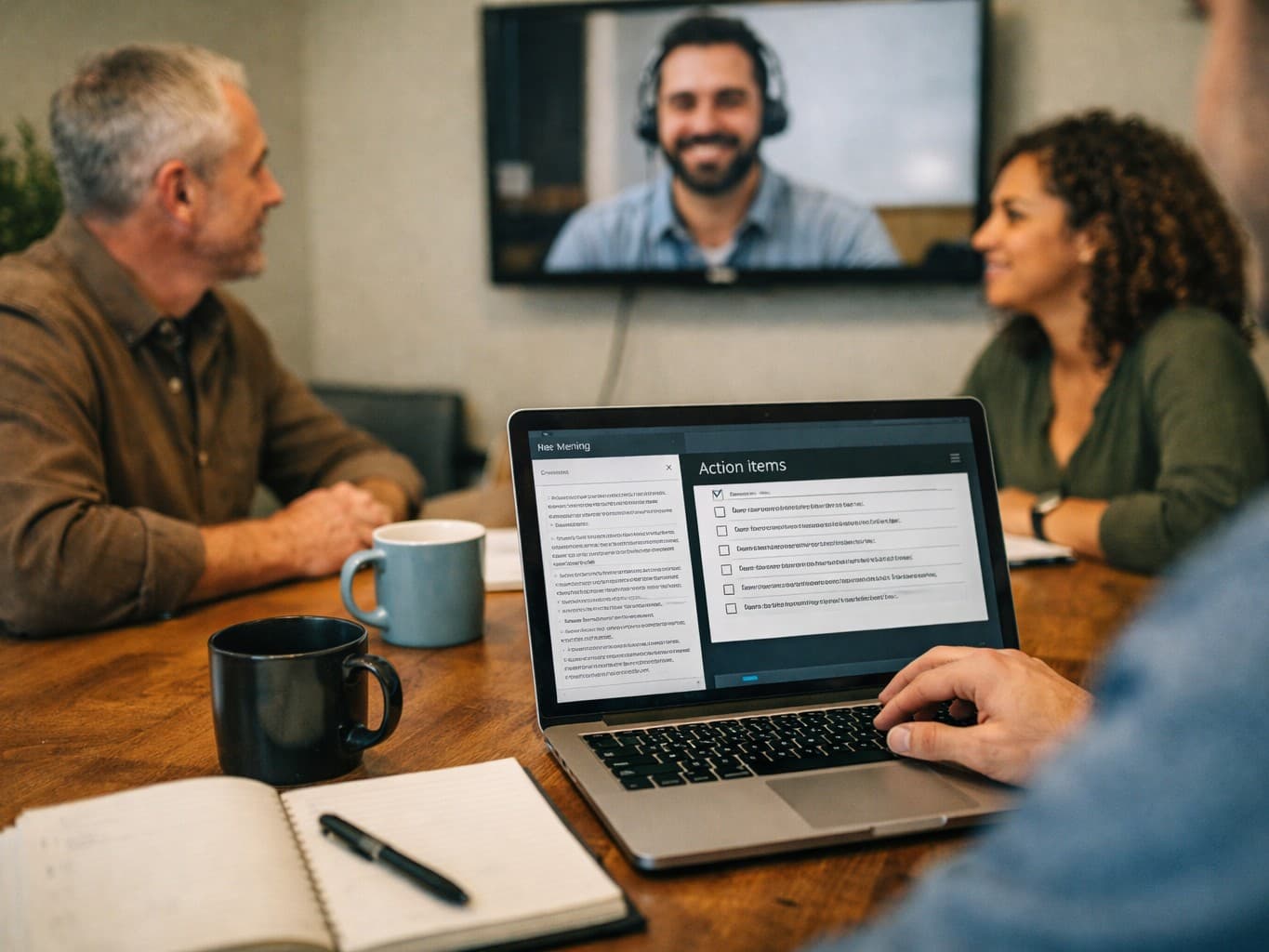
AI meeting notes tools can save time, but they are not all doing the same job. The best choice depends less on flashy summaries and more on whether the tool captures the right speakers, works with your meeting stack, and gives you notes you can trust without creating privacy problems.
If you are comparing options, evaluate them like a workflow tool, not a demo trick. Accuracy, integrations, search, action-item extraction, security controls, and ease of review matter more than a polished one-minute product video.
What AI meeting notes tools actually do
Most products in this category listen to a call, create a transcript, and use a language model to turn that transcript into something easier to use: summaries, decisions, action items, follow-up emails, and searchable records.
That sounds simple, but there are really several products hiding under the same label:
- Meeting recorders that join Zoom, Google Meet, or Microsoft Teams and generate notes after the call
- Transcription-first tools focused on searchable transcripts and speaker labels
- Workspace assistants that connect meeting notes to tasks, CRM records, project docs, or knowledge bases
- Personal note assistants built for one user rather than an entire team
This matters because buyers often compare tools that are solving different problems. A sales team may care about CRM sync, keyword tracking, and call review. A small internal team may care more about clean summaries and action items. A founder may just want a reliable memory aid for back-to-back calls.
Before you compare brands, define the actual job:
- Do you need a transcript, a summary, or both?
- Are the notes mainly for personal use or shared across a team?
- Do you need records for compliance, coaching, project management, or simple recall?
- Will people accept a bot joining every meeting?
- Are you dealing with sensitive conversations?
Those answers narrow the field quickly.
The features that matter most
Transcript quality still comes first
If the transcript is weak, everything built on top of it gets worse. Summaries may sound polished, but they can miss decisions, assign tasks to the wrong person, or flatten nuance.
Look for:
- solid speaker identification
- support for different accents and audio quality conditions
- clear time stamps
- easy transcript correction
- reliable handling of overlapping speech
Do not judge this from a vendor’s best-case sample. Test with your own messy reality: people interrupting each other, bad microphones, jargon, client names, and mixed speaking styles.
Summaries should be editable and structured
A useful summary is not just shorter text. It should separate key topics, decisions, risks, follow-ups, and open questions in a way your team can scan.
Good tools usually let you:
- choose summary formats
- regenerate sections
- edit notes before sharing
- pull out action items automatically
- create meeting-specific templates
This matters because different meetings need different outputs. A hiring interview, a client discovery call, and an internal standup should not all produce the same note format.
Action items need ownership
Many tools claim to capture tasks. The real question is whether they identify who owns the task, what exactly needs to happen, and whether there is a due date or next step.
If a tool gives you generic bullets like “follow up with proposal” without assigning context or owner, you are still doing most of the work yourself.
Search is more valuable than people expect
One of the strongest reasons to use AI meeting notes is not the summary. It is the ability to find what was said later.
That means good tools should make it easy to:
- search across meetings
- jump to the exact transcript moment
- filter by speaker, topic, or customer
- find recurring objections, decisions, or commitments
For teams with lots of calls, searchable history often becomes more valuable over time than any individual note.
Integrations decide whether the tool sticks
A notes tool that lives in isolation often becomes another tab people ignore. The practical value rises when notes move into the systems your team already uses.
Common integrations worth checking:
- Google Calendar or Outlook
- Zoom, Google Meet, Microsoft Teams
- Slack
- Notion, Confluence, or Google Docs
- HubSpot, Salesforce, or other CRM tools
- Asana, ClickUp, Trello, Jira, or similar project tools
The deeper issue is not how many integrations exist, but what they actually do. “Integration” can mean anything from posting a link in Slack to automatically attaching a clean summary to the right account record.
What can go wrong with AI meeting notes
The core risk is simple: people trust the summary more than they verify the record. That becomes a problem when the model compresses a nuanced conversation into something neat but incomplete.
Common failure points include:
- wrong speaker attribution
- missed decisions buried in side comments
- invented certainty where the meeting was still undecided
- action items assigned to the wrong person
- loss of context, tone, or disagreement
- sensitive details being captured more broadly than intended
This is why AI meeting notes should usually be treated as a first draft of institutional memory, not a final source of truth. That broader habit matters beyond meetings too. If you are trying to build good AI workflows without outsourcing judgment, our guide on How to Use AI Without Losing Critical Thinking covers the mindset well.
Privacy and consent are not side issues
For many buyers, privacy is the deciding factor. Recording and summarizing meetings may raise legal, ethical, and organizational issues, especially in client-facing or regulated environments.
Questions to ask before adoption:
- Does the tool record audio, store transcripts, or both?
- Where is data stored?
- Can admins control retention?
- Can users delete recordings and notes easily?
- Does the vendor use customer data to train models?
- How is consent handled when external participants join?
- Are there admin controls for who can view what?
Even when a tool is technically allowed, some teams find that a bot in every meeting changes behavior. People may become more guarded, especially in performance reviews, legal discussions, or early-stage strategy conversations.
That does not make the tool bad. It means you should decide where AI meeting notes are appropriate instead of forcing one rule for every conversation.
How to compare tools without getting fooled by demos
A short trial with your real meetings tells you more than any feature grid. The right evaluation process is boring on purpose.
Run a live test with different meeting types
Test at least a few distinct scenarios:
- a structured internal meeting with clear agenda items
- a messy brainstorming session with interruptions
- a customer or client call with domain-specific language
- a short meeting where speed of delivery matters
After each meeting, check:
- Was the transcript accurate enough to trust?
- Did it capture actual decisions?
- Were action items correct and assigned properly?
- Could someone who missed the meeting understand what matters?
- How much editing was needed before sharing?
Check the post-meeting workflow
A lot of products look similar during the meeting and feel very different afterward. You want to know what happens once the call ends.
Ask:
- How quickly are notes available?
- Is the summary easy to skim?
- Can you share one section without exposing the whole transcript?
- Can meeting notes flow into docs, tasks, or CRM records?
- Is there a clean archive you can search later?
The more manual copying and cleanup you still need to do, the lower the real value.
Test for admin and team controls
This is especially important if you are buying for a company rather than for yourself.
Look for:
- user permissions
- workspace-level settings
- meeting visibility controls
- retention policies
- auditability
- onboarding simplicity
A tool can be excellent for an individual and still be a poor fit for a team if the admin layer is weak.
Pricing: what you are really paying for
AI meeting notes tools are usually priced by user, feature tier, transcription volume, or some mix of those. The sticker price matters, but the hidden cost is workflow friction.
A cheaper tool is not actually cheaper if it creates extra editing work, misses important details, or never gets adopted by the team.
When looking at pricing, think in terms of these tradeoffs:
Solo user vs team deployment
If only one person needs support, a lightweight personal tool may be enough. Team rollouts usually require stronger permissions, shared workspaces, integrations, and admin controls.
Transcript utility vs summary polish
Some tools spend their value on a polished summary. Others are more valuable as a searchable call database. Decide which one matters more to you before paying for premium features.
Storage and history
Long-term access can matter as much as note generation. If you need to revisit customer conversations, hiring loops, or project decisions months later, storage limits and archive quality matter.
Seats that do not get used
One common mistake is licensing too broadly before habits are established. It is usually smarter to start with the people whose workflows clearly benefit, then expand if adoption is real.
This kind of practical cost-benefit thinking also shows up in other AI decisions. If you are weighing how much AI changes actual work rather than just headlines, Is My Job Safe From AI? How to Assess the Real Risk offers a useful framework for separating task automation from full job replacement.
Which teams benefit most from AI meeting notes
Not every team gets the same return.
Sales and customer success
These teams often benefit the most because they run a high volume of repeatable conversations. Searchable notes, objection tracking, CRM sync, and coaching can create obvious value.
Recruiting and hiring
Structured interviews can be easier to summarize and compare when notes are standardized. But privacy expectations are high, and teams should be careful about what gets recorded and how long it is retained.
Product and project teams
For recurring internal meetings, the main value is decision tracking. Good notes reduce “did we agree to that?” confusion and help absent teammates catch up quickly.
Founders and managers
People who spend much of the week in conversations often like AI meeting notes as an external memory system. The biggest benefit is often less note-taking during the meeting and easier recall afterward.
Sensitive functions
Legal, HR, therapy-adjacent, medical, finance, and other sensitive contexts need much stricter review. In some cases, the safest decision may be to avoid broad recording entirely or use AI only in limited workflows.
Signs a tool is a good fit
A strong fit usually looks like this:
- users trust the transcript enough to rely on it
- summaries reduce follow-up work instead of creating editing work
- action items are clear and usable
- notes are easy to find later
- sharing is simple but controlled
- the tool fits naturally into calendars, calls, docs, and task systems
- your team has a clear policy for when to record and when not to
Just as important, adoption feels voluntary because the tool is genuinely helpful. If people keep turning it off, avoiding recorded meetings, or rewriting every summary from scratch, something is off.
Signs a tool is not a good fit
Watch for these red flags during trials:
- transcripts collapse when audio gets messy
- summaries sound confident but miss key context
- speaker labels are frequently wrong
- external guests are confused or uncomfortable with the bot
- integrations exist mostly on paper
- admin controls are too weak for your organization
- sensitive notes are harder to contain than expected
- the team spends more time fixing notes than using them
A bad fit is not always about quality. Sometimes the technology works fine, but the culture does not support routine recording, or the team simply does not have enough meeting volume to justify another tool.
How to implement AI meeting notes without annoying everyone
The smoothest rollouts are narrow at first.
Start with one or two use cases where the value is obvious, such as client calls, project status meetings, or recurring internal reviews. Create a simple policy that covers:
- which meetings may be recorded
- when consent or disclosure is required
- who can access transcripts and summaries
- how long records are kept
- who reviews AI-generated notes before broad sharing
Then set expectations clearly: the AI notes are an assistive record, not a perfect transcript of reality.
This is similar to other workplace habit changes. The tool matters, but setup matters more than people expect. If you have ever seen how a small equipment change succeeds or fails based on practical implementation, our piece on Walking Pad Desk Setup for Beginners: A Practical Guide makes the same point in a very different context.
The bottom line on AI meeting notes
AI meeting notes are worth considering if meetings generate real follow-up work, lost information, or repeated confusion about decisions. They are less compelling if your meetings are low volume, highly sensitive, or already documented well with lightweight human notes.
When you compare tools, focus on transcript reliability, action-item quality, search, integrations, admin controls, and privacy. The right product should reduce effort after meetings, not create a second editing job.
If you are shopping now, run a trial with your own meetings, not the vendor’s examples. The best tool is the one your team will actually trust, review, and use later when the details matter.